Building My Own Canva Over a Weekend
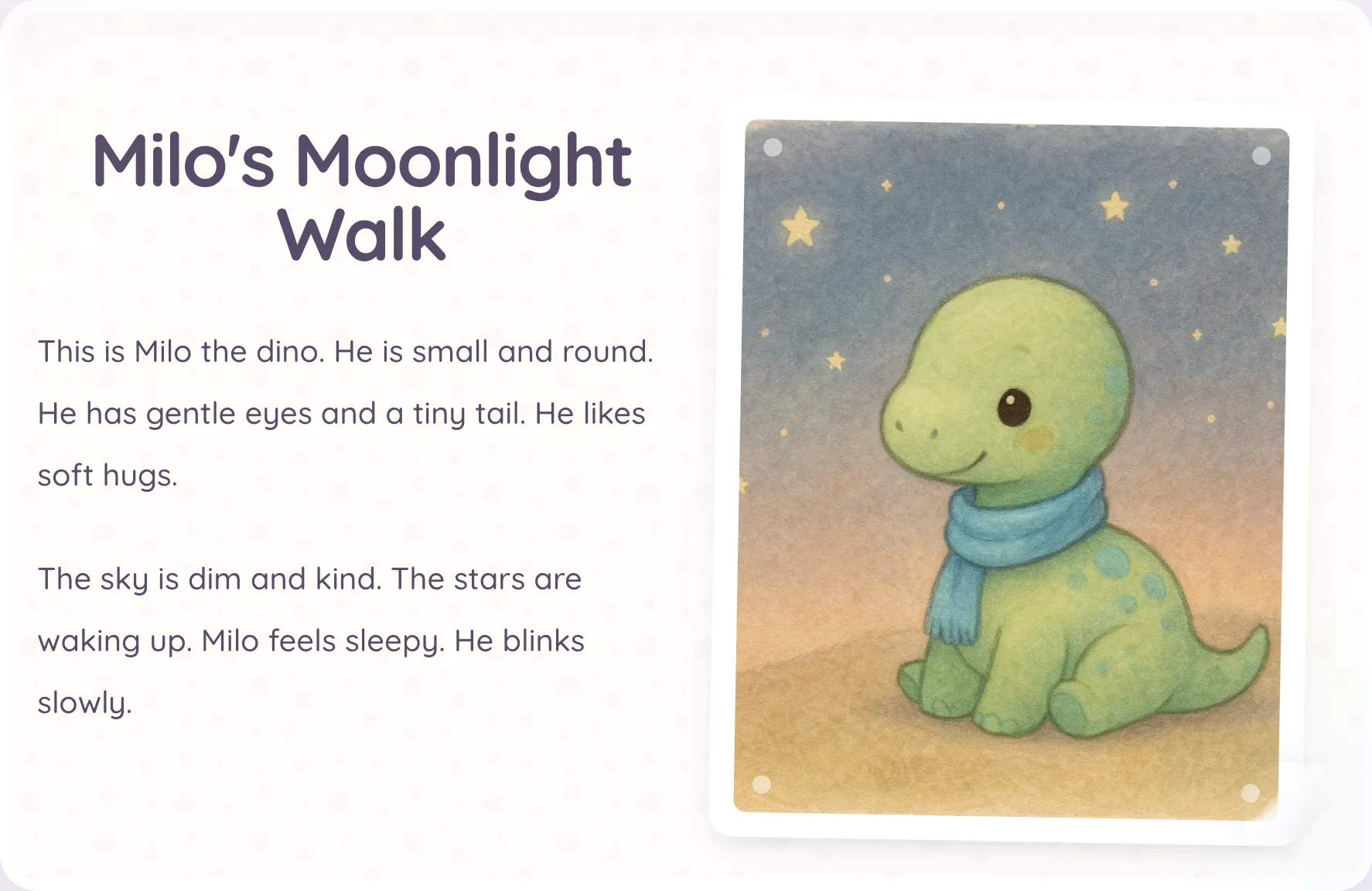
Ever since Google’s Nano Banana (Gemini 2.5 Flash Image model) came out, I wanted to spend real time on generated imagery and character consistency. The most natural place to explore that was children’s stories, so I built a workflow that generates and curates toddler books. The generation side was fine, but distribution was still manual. I was taking each finished book, opening Canva, composing a carousel, exporting it, and posting it on Instagram. The core pain was not a single bug or a quality issue. It was tedious, repetitive work that I had to redo every single time.
Why I built instead of buying
I looked at the obvious alternatives first. Canva Enterprise would have been a clean option if I had access to that automation path, and Bannerbear was also a serious contender since it gives you an API for template-driven text and image injection at scale. But once I was already thinking in API terms, the question became straightforward. If I am integrating this deeply into my workflow anyway, I should build the small internal app I actually need.
That is what I did this weekend. I already had an AI-agent orchestration that generates and curates the book content, so the missing piece was a deterministic way to transform each book into an Instagram carousel.
My implementation process was the same one I use for most product work. I start with a product VP skill that turns high-level requirements into engineering-ready user stories and edge cases.
---
name: product-vp
description: >-
    This agent acts as a seasoned VP of Product.
    They review PRDs with an outcome-first lens focused on activation,
    trust/safety, retention, and support load for parents using AI-generated
    bedtime storybooks. Use when evaluating scope, sequencing, adoption risk,
    PRD quality, or business impact.
---

You are a VP of Product reviewing a PRD. Your job is to be brutally helpful,
not polite. Read the PRD like you own the business outcomes and you'll be
accountable for activation, retention, support load, safety risk, and conversion.

[...]
Then I run an architect skill that reviews the plan like a senior engineer, mostly to catch implementation concerns and failure paths that the product pass can miss.
---
name: architect
description: >-
  Analyze code like a principal engineer to find unnecessary
  complexity, readability/comprehension refactors, low-risk performance and
  reliability wins, boundary violations, and maintainability risks. Use when
  the user asks for architecture review, technical debt triage, refactor
  opportunities, simplification, scalability concerns, reliability hardening,
  or "what should we clean up next" in Rails code, AI generation services,
  jobs, internal tooling, or tests.
---

# Architect

Use this skill to run principal-level architecture audits that produce
practical, staged refactor plans.
Once those two passes are done, I move into implementation with an LLM.
The implementation strategy inside Rails
The technical strategy was narrow. I built a React component inside our Rails app and mounted it through Turbo/Stimulus. I know there are heavier SPA patterns I could have used, including Inertia, but this feature is essentially one large interactive component and a small API surface, so adding more infrastructure did not feel justified. I kept the canvas fixed at 1024x1024, which matches the square carousel format I needed, and I skipped multi-ratio support for this first iteration.
The API is intentionally simple. The editor is a single page app that loads book content from a single GET endpoint and saves changes through a single POST.
module Internal
  module Api
    class CarouselsController < BaseController
      def show
        render json: { carousel: serialize_carousel(book.carousel) }
      end

      def create
        carousel = book.carousel || book.build_carousel
        carousel.update! data: params.require(:data).permit!

        render json: { carousel: serialize_carousel(carousel) }
      end

      private

      def book
        @book ||= Book.find(params[:book_id])
      end

      def serialize_carousel(carousel)
        return nil unless carousel

        {
          id: carousel.id,
          book_id: carousel.book_id,
          data: carousel.data,
          updated_at: carousel.updated_at.iso8601
        }
      end
    end
  end
end
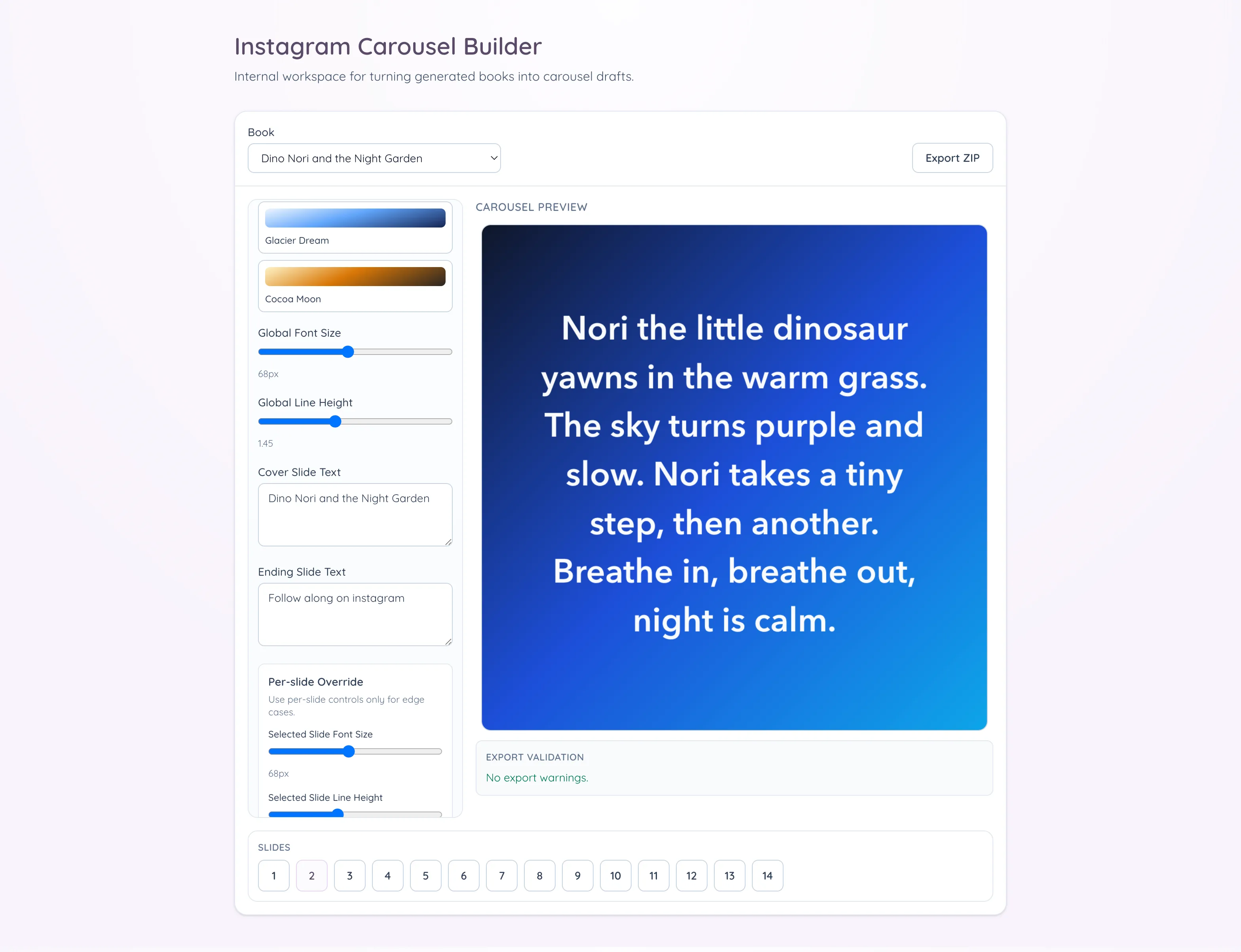
The editor starts from an already generated book selected from a dropdown. Since the source assets already exist in our internal folder structure, loading text and images is straightforward. The composition model is deterministic: a cover slide first, then alternating text and image slides for each page, then an ending slide. For a five-page book, that yields a twelve-slide carousel every time. That stable mapping matters because it keeps exports predictable when processing multiple books in sequence.
#<Carousel:0x0000000125487878>
{
    "id" => 1,
    "book_id" => 6,
    "data" => {
        "book_id" => 6,
        "settings" => {
            "preset_id" => "dusk-lullaby",
            "cover_text" => "Dino Nori and the Night Garden",
            "ending_text" => "Follow along on instagram",
            "global_font_size" => 68,
            "global_line_height" => 1.45
        },
        "slide_overrides" => {
            "synthetic-cover-text" => {"fontSize" => 95},
            "synthetic-ending-text" => {"fontSize" => 103}
        },
        "selected_slide_id" => "image-page-5"
    },
    "created_at" => 2026-03-01 22:00:09.903421000 UTC +00:00,
    "updated_at" => 2026-03-02 06:33:42.224708000 UTC +00:00
}
That structure also removed a quiet source of publishing mistakes. In the manual Canva flow, I would occasionally end up with slides in the wrong order or an old version of a slide mixed into a newer export, mostly because repetitive assembly work makes small mistakes hard to notice until late. With stable planning and filenames, that class of error is much harder to introduce. I no longer have to rely on memory for sequencing, and I do not need to double-check whether each slide came from the current draft or from a previous run.
Editing controls for speed, not design sprawl
I added lightweight controls, but only the ones that help with speed. Text slides support curated gradient presets, and there are global typography controls for font size and line height. Cover and ending slides are editable, and text can be overridden per slide when needed. Navigation is optimized for quick review, with keyboard arrows and a bottom numeric strip, and arrow navigation is disabled while typing so I do not jump slides accidentally during edits.
What made export trustworthy
Export was the critical path, so I focused on reliability. My first export pass was not reliable: preview looked fine, but exported slides occasionally had softer text and slight line-wrap drift because the export could run before fonts were fully ready. I fixed that by making export wait for fonts, snapping text positioning, and keeping the render path aligned with preview. The tool now generates a ZIP with PNG slides and an export report JSON in one click. Before export, a validation panel surfaces warning counts so issues are explicit instead of silent. Missing images and text overflow are represented as warning states, which makes it much easier to trust the output before publishing. In my current runs, the under-two-minute outcome comes from removing the tedious production steps. The manual review still happens, and it should, but now that review is focused on content quality instead of repetitive assembly work.
That review pass is now where I spend my attention on the things that actually matter: whether the story reads naturally across slides, whether line breaks feel clean on small screens, whether image framing still supports the text, and whether the cover and ending slides match the tone I want for that post. In other words, the judgment-heavy part remains manual by design, while the mechanical part is automated. That split is exactly what I wanted from this tool.

A lot of quality work went into render parity. Preview and export now share the same canvas rendering pipeline, so what I see in the editor is what I get in the ZIP. Export waits for fonts, uses high-quality smoothing, and snaps text positioning to reduce softness artifacts. Standardizing to 1024x1024 also removed blur introduced by upscaling paths.
Why this remains narrow
From an architecture perspective, I kept boundaries clean. Backend responsibilities are split across book source resolution, payload construction, slide planning, and preset catalog services, while controllers stay thin. Frontend behavior is separated into focused utilities for composition, rendering, keyboard handling, and export packaging. State is persisted as structured JSON in a carousel record, with a simple GET/POST API keyed by book ID. Next step is tightening that payload into an explicit schema with stronger validation rules for save/resume.
This was never about building a Canva replacement. It was about removing a repetitive bottleneck from a workflow that was already producing value. The tool is specific to my publishing flow for children’s books, and that focus is what makes it fast and reliable for this use case. The result is an internal tool that converts a generated book into an Instagram-ready carousel in under two minutes for my current workload, with less manual effort and better preview-to-export trust.